Based on AgentRun release · Synced .
Runnable examples
Every example below runs on scripted models by default, with no key: it exercises the workflow and its plumbing, not model quality. The workflow examples use fictional inputs. Start with the support example.
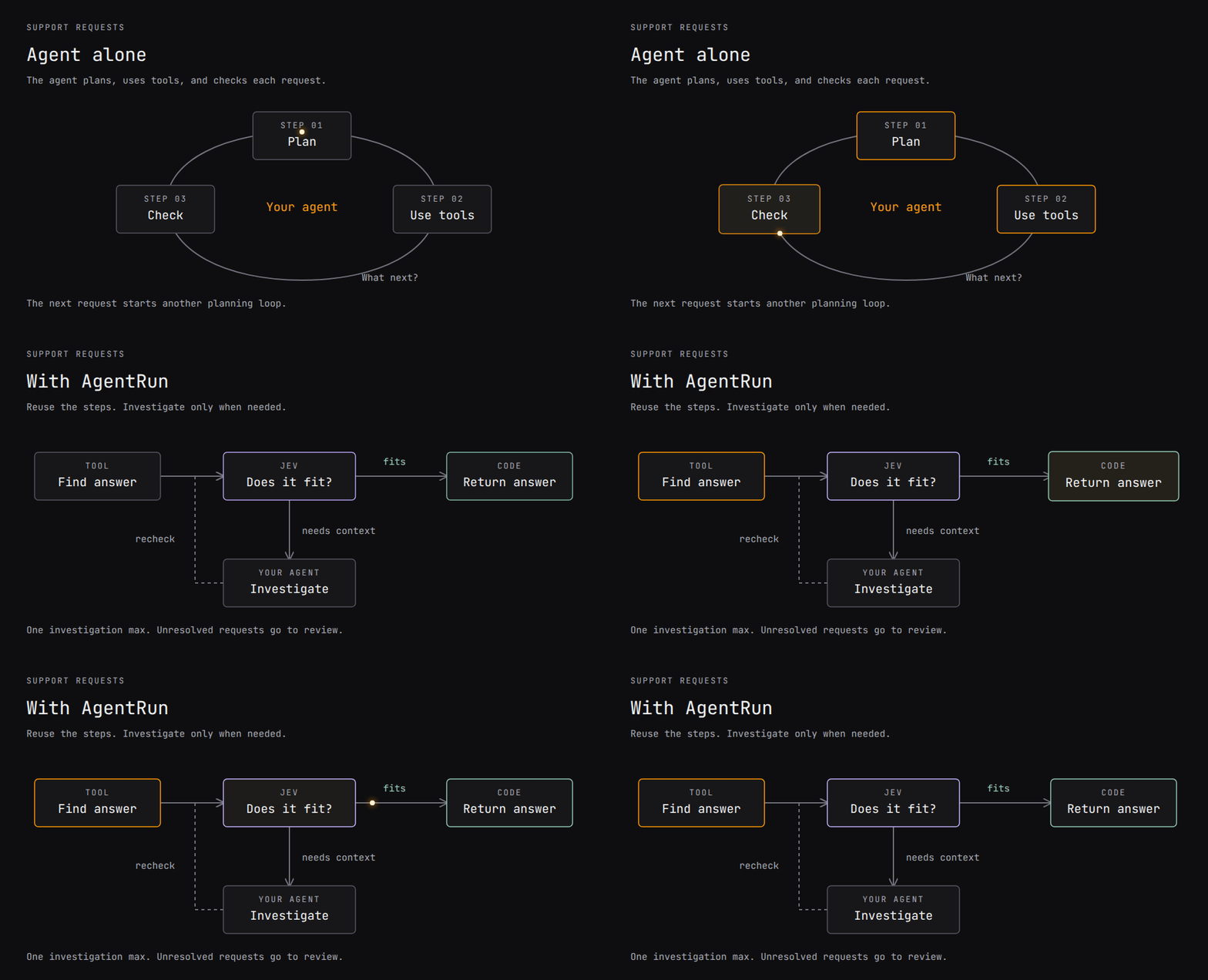
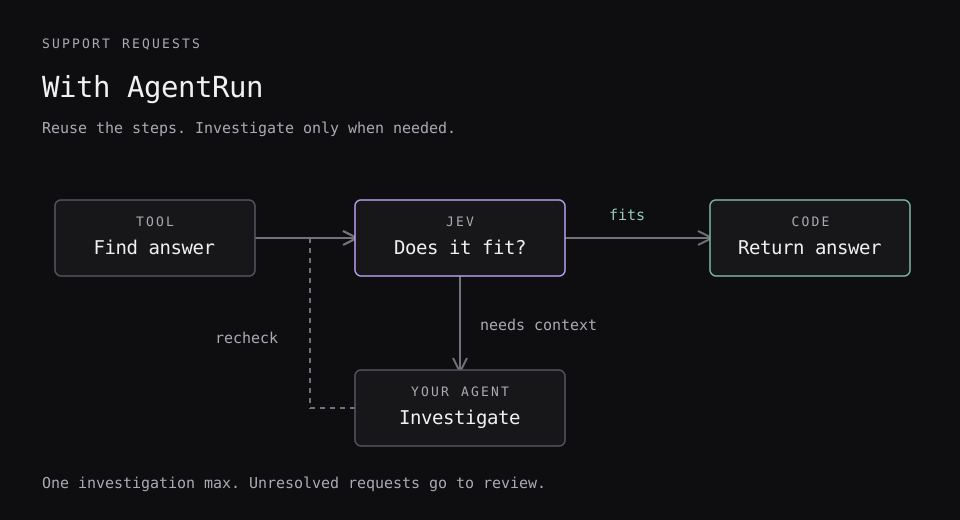
Run the support example
The workflow in the animation, from a checkout (Node 24.11 or newer, and npm):
git clone --branch main --single-branch https://github.com/Parcha-ai/agentrun.git
cd agentrun
# With nvm: nvm install && nvm use
npm ci --ignore-scripts
npm run build
npm run demo:support
This runs the interpreter with scripted tools, Jev answers, and agent responses. It needs no API key and sends no customer replies. The command prints a report for each case:
| Request | Agent calls | Decision calls | Result |
|---|---|---|---|
| Reset a password | 0 | 1 | Return the help answer |
| Find an invoice | 0 | 1 | Return the help answer |
| Investigate a failed payment | 1 | 2 | Return the investigation answer |
| Payment still unresolved | 1 | 2 | Escalate for review |
npm run demo:support -- payment
npm run test:support
Try npm run demo:support -- unresolved to see an escalation. It exits with code 2. The responses are scripted; changing a prompt does not change them. Connect live Jev and your agent next.
Research demo
From the built checkout, a scripted research workflow answers "Should our team move its docs from a wiki into the code repository?":
npm run demo
npm run eval:research
It plans subquestions, researches them in parallel, screens evidence, and writes a report. The evaluation checks six labeled cases with scripted responses. Connect real Jev and Pi models.
Every example
After npm ci --ignore-scripts and npm run build:
| Example | Run | What to change |
|---|---|---|
| Support answers | npm run demo:support |
Connect your search tool and agent; check an answer before returning it. |
| Typed research | npm run demo |
Reuse one research component across questions and stop when evidence is missing. |
| Rank a list | npm run demo:rank |
Score candidates against your brief, drop duplicates, cap each bucket, keep the top k; call it from another workflow. |
| Standalone TypeScript app | Follow the app's install steps, then npm test and npm start |
Build outside this checkout with public package imports. |
The ranking example is a reusable workflow built from existing nodes, not a node of its own. A sift scores every candidate with a leveled question, and the continuous score in <as>.answers[i].answers.<question>.score orders them. Sorting, the minimum score, per-bucket quotas and the cut-off are a code step. A second sift over pairs finds near-duplicates among the best consider candidates, the only ones that can make the list. That costs consider × (consider − 1) / 2 questions, so the caller chooses it. A long list needs no batching in the workflow: a sift over the host's per-request limits splits itself. npm run demo:rank -- --live --input request.json ranks your own list with Jev.
Each example includes a failure or uncertainty path. npm run demo:support -- unresolved and npm run demo -- --no-evidence exit with code 2 after escalation.
To connect models, follow support integration or research integration. Your application supplies tool permissions, credentials and cancellation. Scripted answers remain fixed when you edit a prompt.